Nano Banana Pro
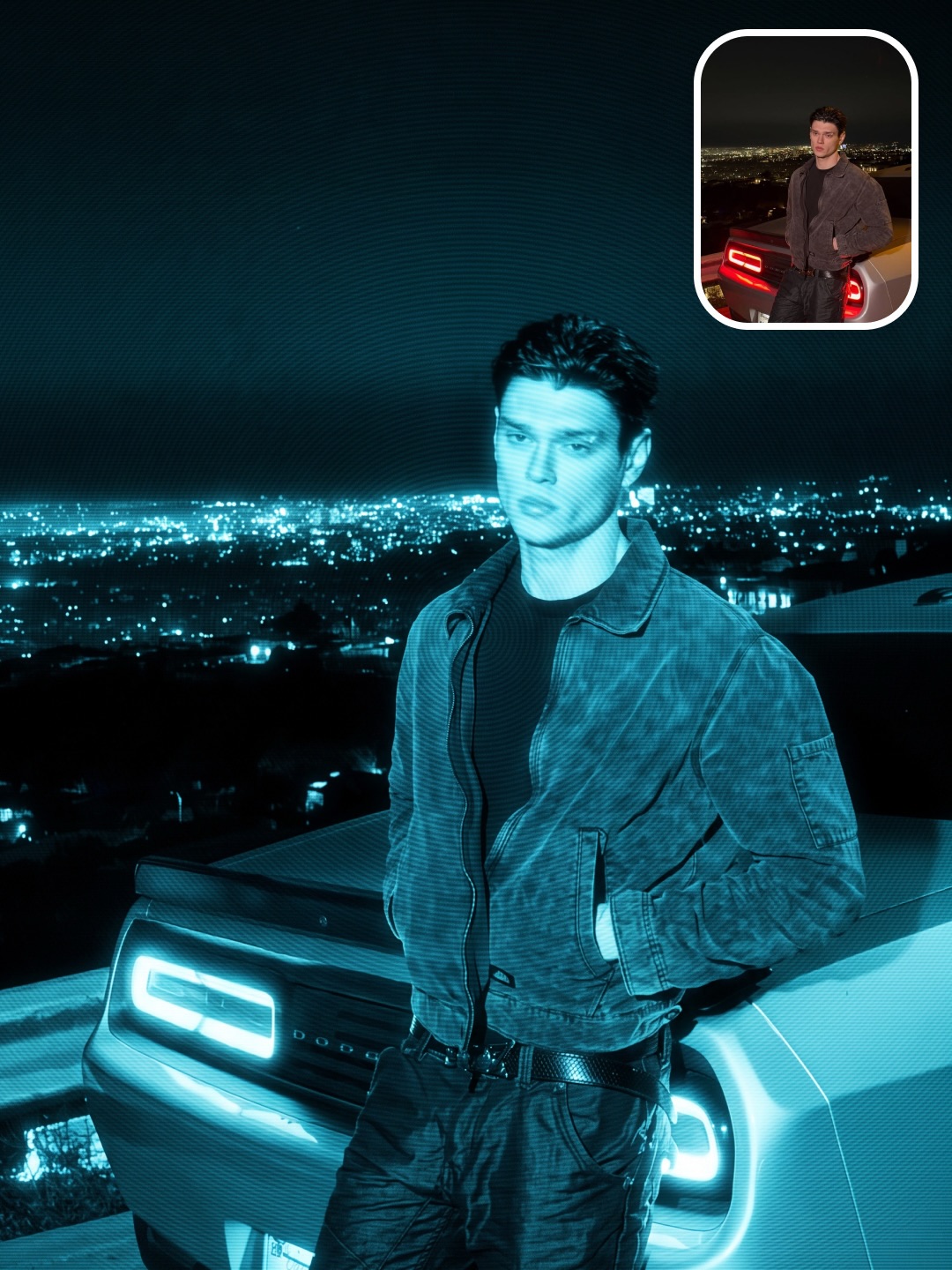
Headlights in Phosphor
- The source face, dark jacket, car, and city composition stay intact
- Headlights bloom naturally into the cyan night
- Fine scanlines and face-centered rings remain visible without looking pasted on
Wiggly / Format Lab /
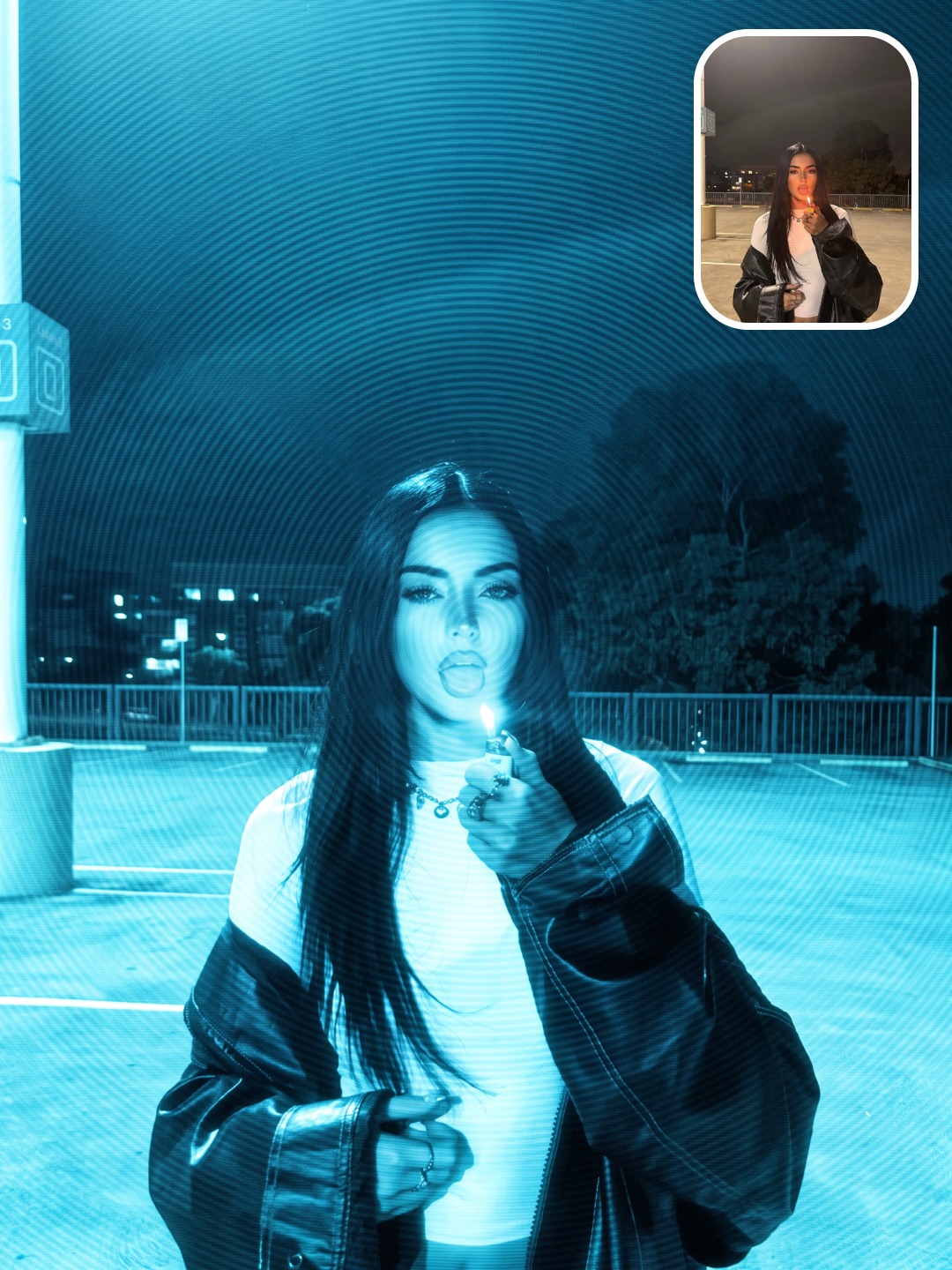
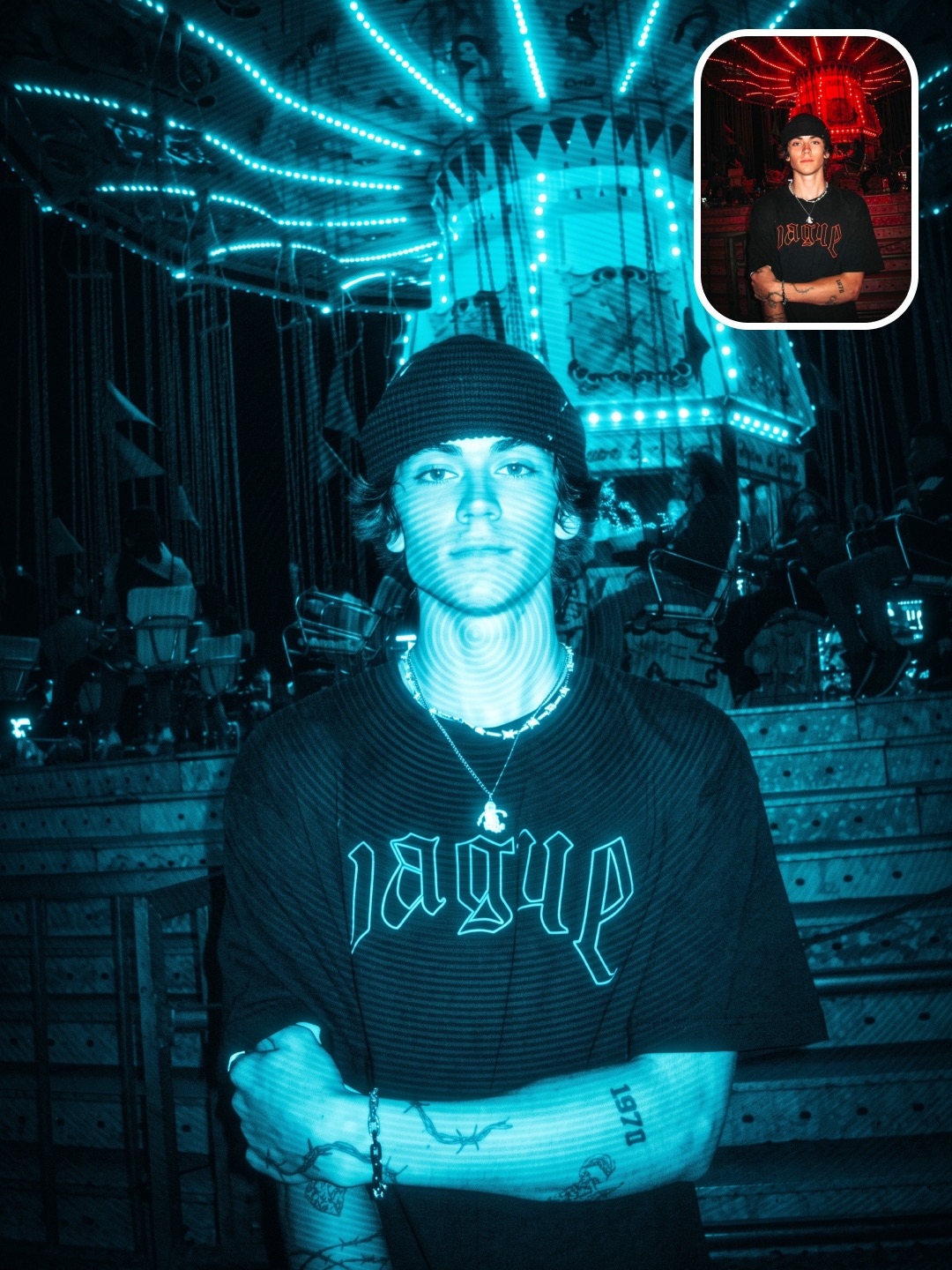
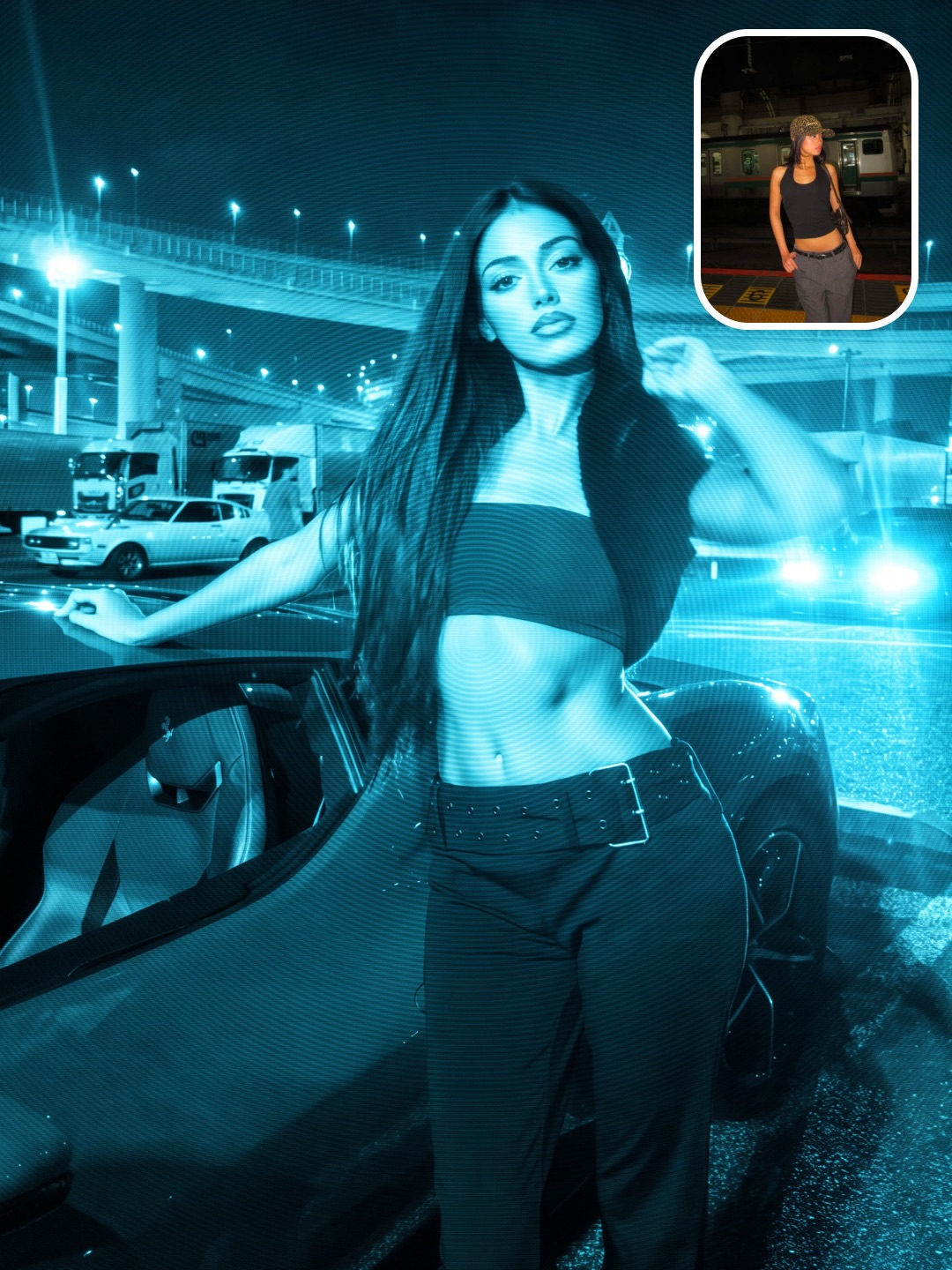
Turn one photograph into a luminous cyan-blue monochrome image with analog scanlines, soft phosphor bloom, and concentric optical interference.
One source image in. 1 inspected image out.
Judge exact source preservation, luminous cyan-blue monochrome color, fine scanlines, soft phosphor bloom, face-centered interference rings, and an edge-to-edge photographic finish.
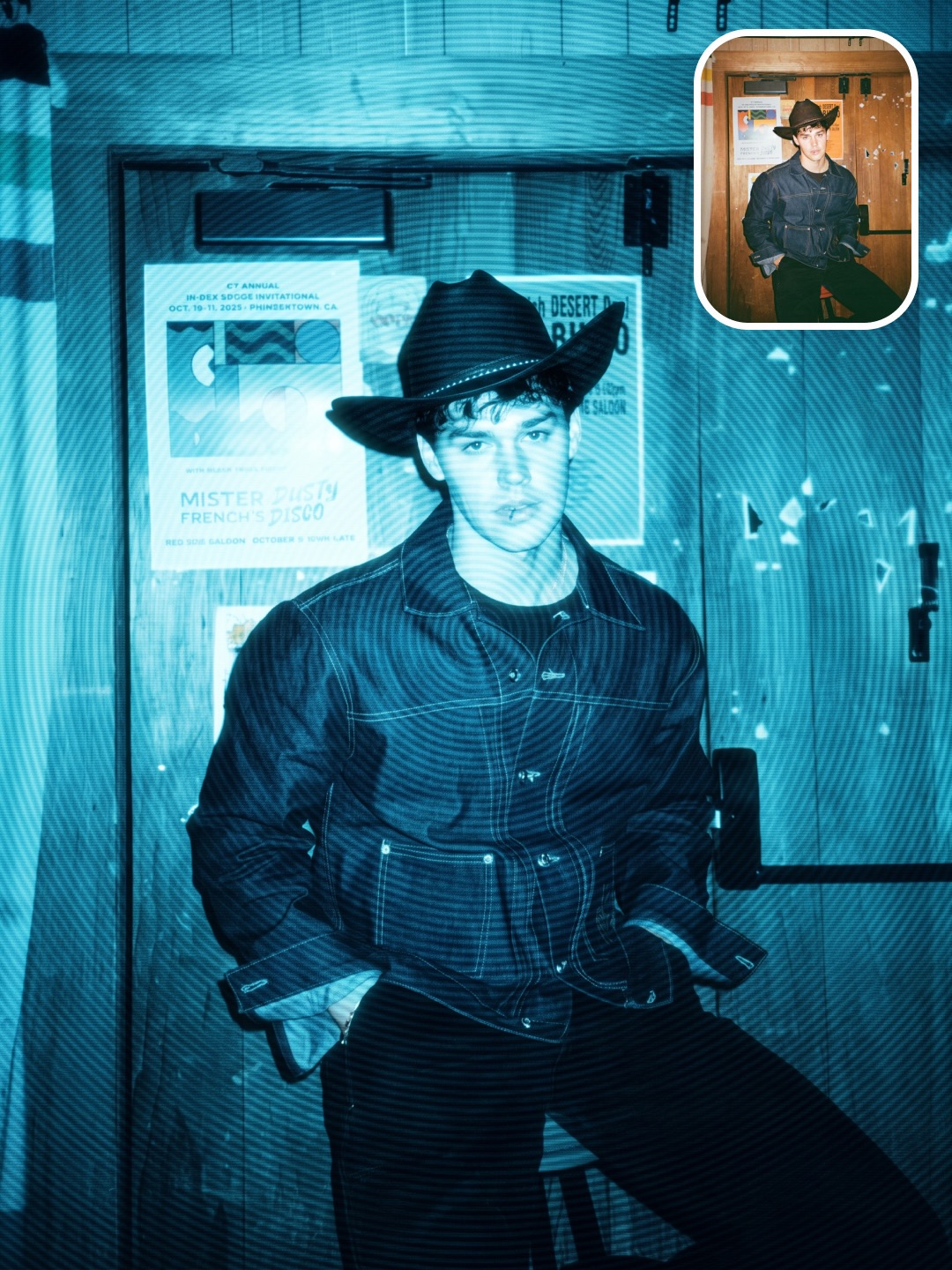
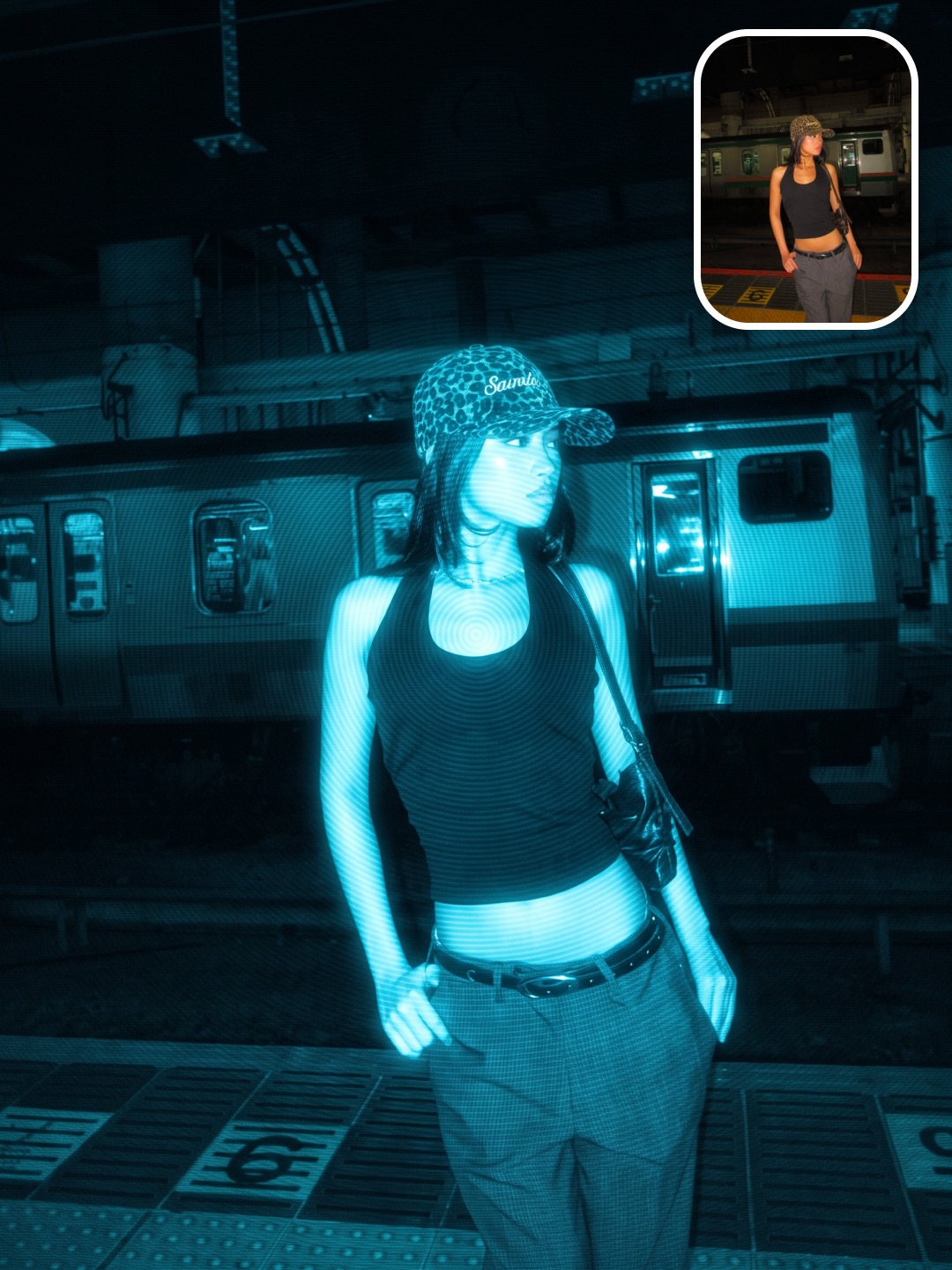
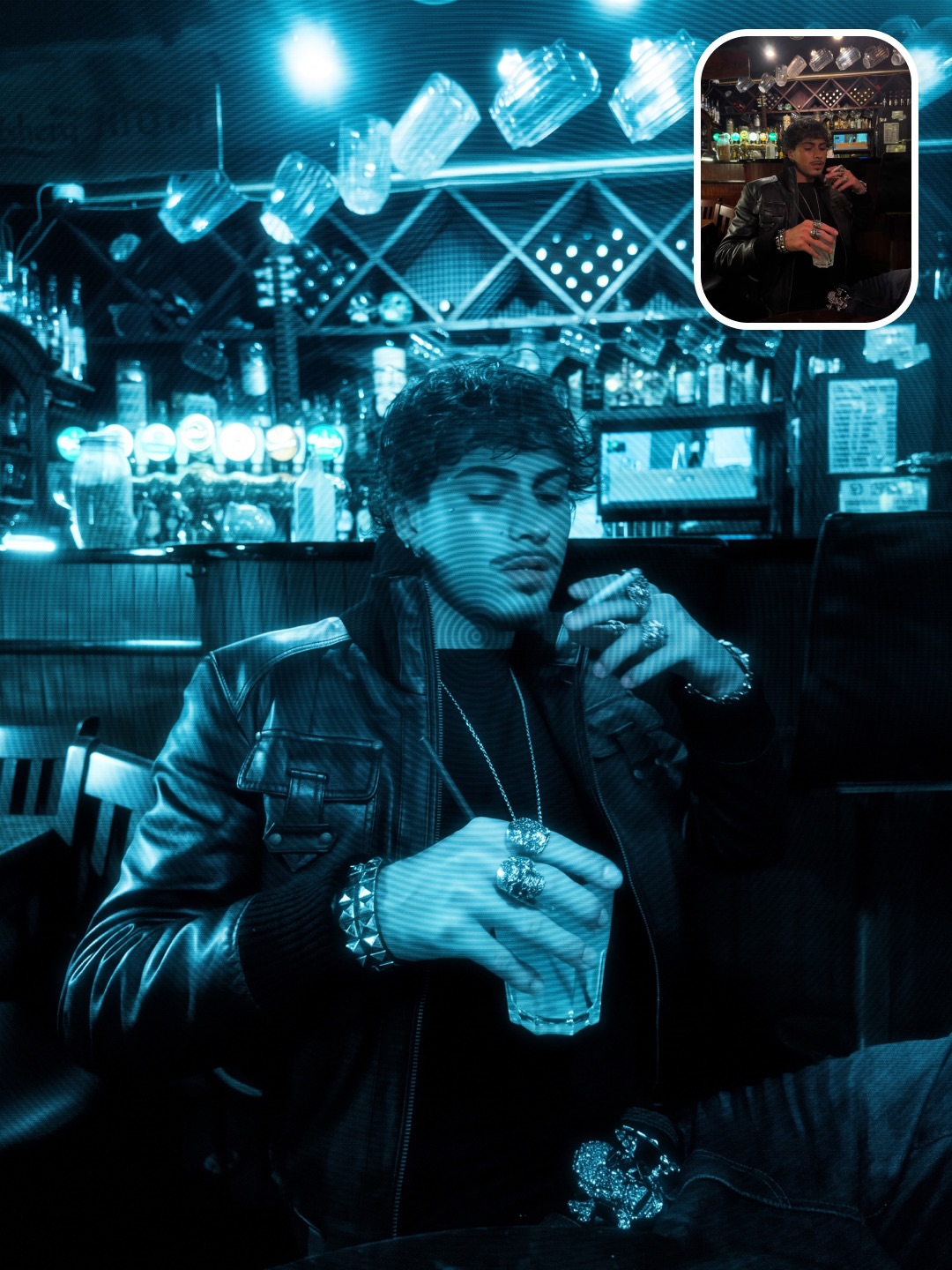
Exact gathered prompt
Transform the uploaded image while preserving the subject's identity exactly. Do not change the face, hairstyle, skin, clothing, body proportions, pose, expression, composition, camera angle, lighting, or background. Apply only the visual effect.

Convert the entire image into a luminous electric cyan-blue monochrome aesthetic with rich phosphor-like glow. The image should appear softly self-illuminated, with bright areas naturally blooming into darker tones while maintaining realistic detail. The overall look should be smooth, dreamy, cinematic, and atmospheric rather than digitally filtered.

Cover the entire image with extremely fine horizontal analog scanlines that blend naturally into the photograph. Add subtle analog softness, gentle phosphor grain, soft highlight halation, reduced micro-contrast, faint luminance noise, and delicate cyan bloom. Every highlight should feel as though it emits light instead of simply reflecting it.

Create large concentric optical interference rings centered precisely on the subject's face, radiating smoothly across the entire image. The rings should resemble natural moiré interference, softly interacting with the scanlines and brightness instead of appearing as an overlay. They must be subtle yet clearly visible, with varying intensity depending on brightness, giving the image a hypnotic analog texture.

The overall image should have a mysterious cyber atmosphere with authentic early-2000s digital aesthetics, soft analog diffusion, glowing cyan highlights, rich blue shadows, subtle texture, and a slightly imperfect organic appearance. Preserve realistic skin texture while allowing the glow and interference pattern to dominate the overall mood.

Keep the image completely edge-to-edge. No borders of any kind. No rounded corners. No television frame. No monitor. No bezel. No screen outline. No glass reflections. No user interface. No hardware. The effect must exist only within the photograph itself.

The final result should look like a cinematic blue phosphor portrait with luminous glow, analog scanlines, and beautiful concentric optical interference integrated naturally throughout the image.

Negative Prompt

black border, rounded corners, television, TV, CRT monitor, monitor frame, display, bezel, screen frame, glass reflections, hardware, user interface, fingerprint graphic, watermark, logo, pixelation, VHS glitches, tracking errors, heavy blur, oversharpening, HDR, modern digital look, AI beauty filter, excessive distortion, changes to identity, clothing, pose, lighting, or background.
Source: @skaigenerated · model shown: Nano Banana Pro
Prepare -> Validate -> Transform -> Inspect
One run pinned to the portrait, exact gathered prompt, and selected model route.
The portrait and prompt contract checked locally.
One Blue Phosphor transform from one approved prediction.
Explicit approval required
Automatic file checks plus an actual visual review.
Explicit approval required
SKILL.md--- name: wiggly-blue-phosphor description: Apply the exact gathered SKAI Blue Phosphor Filter to one photograph while preserving the source image. --- # Blue Phosphor Filter Use the packaged runner and exact prompt. Do not call Replicate separately or create another render path. Ask one short question: > Which photo should I apply the Blue Phosphor Filter to? Then run: ```bash npm run format:skai-image -- init --format=blue-phosphor --run=<id> --input=<absolute-image-path> npm run format:skai-image -- validate --format=blue-phosphor --run=<id> npm run format:skai-image -- estimate --format=blue-phosphor --run=<id> npm run format:skai-image -- render --format=blue-phosphor --run=<id> --approve-paid npm run format:skai-image -- inspect --format=blue-phosphor --run=<id> npm run format:skai-image -- inspect --format=blue-phosphor --run=<id> --visual-pass --review-notes="<specific observations>" npm run format:skai-image -- finalize --format=blue-phosphor --run=<id> --approve-final ``` Hard rules: - Preserve the source identity, clothing, pose, composition, lighting, and background. - Keep the exact gathered prompt and negative prompt unless the user explicitly requests a change. - Use Nano Banana 2 by default, Lite for economy, or Pro for premium and creator-source fidelity. - Validate before spending and never render without `--approve-paid`. - Persist and resume the prediction ID. - Never exceed three attempts. - View the output and record specific visual-review notes before finalizing. - Never print, store, or commit `REPLICATE_API_TOKEN`.
requirements.json{
"runtime": {
"node": ">=22",
"commands": ["npm"]
},
"providers": [
{
"name": "Replicate",
"models": [
"google/nano-banana-2-lite",
"google/nano-banana-2",
"google/nano-banana-pro"
]
}
],
"environment": [
{
"name": "REPLICATE_API_TOKEN",
"secret": true,
"requiredFor": ["render", "resume"]
}
],
"notes": [
"All smoke and validation commands are local.",
"No proof generation was purchased for this package.",
"One render attempt is one paid prediction.",
"Paid generation requires explicit approval and is capped at three attempts."
]
}
inputs.json{
"required": [
{
"id": "portrait",
"type": "image",
"formats": ["jpg", "png", "webp"],
"minimumWidth": 512,
"minimumHeight": 512,
"maximumBytes": 26214400
}
],
"question": "Which photo should I apply the Blue Phosphor Filter to?",
"defaults": {
"model": "nano-banana-2",
"aspectRatio": "3:4",
"outputCount": 1
},
"modelRoutes": {
"economy": "google/nano-banana-2-lite",
"default": "google/nano-banana-2",
"premium": "google/nano-banana-pro",
"source": "google/nano-banana-pro"
}
}
pipeline.json{
"progress": "Prepare -> Validate -> Transform -> Inspect",
"attemptCap": 3,
"stages": [
{
"id": "prepare",
"output": "One run pinned to the portrait, exact gathered prompt, and selected model route.",
"paid": false,
"approvalRequired": false
},
{
"id": "validate",
"output": "The portrait and prompt contract checked locally.",
"paid": false,
"approvalRequired": false
},
{
"id": "transform",
"output": "One Blue Phosphor transform from one approved prediction.",
"paid": true,
"approvalRequired": true
},
{
"id": "inspect",
"output": "Automatic file checks plus an actual visual review.",
"paid": false,
"approvalRequired": true
}
]
}
prompts/transform.txtTransform the uploaded image while preserving the subject's identity exactly. Do not change the face, hairstyle, skin, clothing, body proportions, pose, expression, composition, camera angle, lighting, or background. Apply only the visual effect. Convert the entire image into a luminous electric cyan-blue monochrome aesthetic with rich phosphor-like glow. The image should appear softly self-illuminated, with bright areas naturally blooming into darker tones while maintaining realistic detail. The overall look should be smooth, dreamy, cinematic, and atmospheric rather than digitally filtered. Cover the entire image with extremely fine horizontal analog scanlines that blend naturally into the photograph. Add subtle analog softness, gentle phosphor grain, soft highlight halation, reduced micro-contrast, faint luminance noise, and delicate cyan bloom. Every highlight should feel as though it emits light instead of simply reflecting it. Create large concentric optical interference rings centered precisely on the subject's face, radiating smoothly across the entire image. The rings should resemble natural moiré interference, softly interacting with the scanlines and brightness instead of appearing as an overlay. They must be subtle yet clearly visible, with varying intensity depending on brightness, giving the image a hypnotic analog texture. The overall image should have a mysterious cyber atmosphere with authentic early-2000s digital aesthetics, soft analog diffusion, glowing cyan highlights, rich blue shadows, subtle texture, and a slightly imperfect organic appearance. Preserve realistic skin texture while allowing the glow and interference pattern to dominate the overall mood. Keep the image completely edge-to-edge. No borders of any kind. No rounded corners. No television frame. No monitor. No bezel. No screen outline. No glass reflections. No user interface. No hardware. The effect must exist only within the photograph itself. The final result should look like a cinematic blue phosphor portrait with luminous glow, analog scanlines, and beautiful concentric optical interference integrated naturally throughout the image. Negative Prompt black border, rounded corners, television, TV, CRT monitor, monitor frame, display, bezel, screen frame, glass reflections, hardware, user interface, fingerprint graphic, watermark, logo, pixelation, VHS glitches, tracking errors, heavy blur, oversharpening, HDR, modern digital look, AI beauty filter, excessive distortion, changes to identity, clothing, pose, lighting, or background.
quality.json{
"automatic": [
"Exactly 1 decodable JPG, JPEG, PNG, or WebP output",
"At least 640x800 pixels",
"Aspect ratio matches the selected route within 0.02",
"At least 50 KB"
],
"visual": [
"The source identity, hairstyle, clothing, pose, composition, lighting, and background remain unchanged",
"The photograph is luminous electric cyan-blue monochrome from edge to edge",
"Fine horizontal analog scanlines blend naturally across the full image",
"Soft phosphor grain, bloom, halation, luminance noise, and rich blue shadows feel organic",
"Concentric optical interference rings radiate from the subject's face",
"There is no border, rounded frame, television, monitor, bezel, UI, logo, or watermark"
],
"finalization": {
"automaticPassRequired": true,
"visualPassRequired": true,
"reviewNotesRequired": true,
"explicitApprovalFlag": "--approve-final"
}
}