Agent instructions SKILL.md
---
name: wiggly-mood-notes
description: Transform one lifestyle photo into an annotated visual journal using the exact gathered SKAI prompt.
---

# Mood Notes

Use the packaged runner and prompt. Do not call Replicate separately or create
another render path.

Ask one short question first:

> Which photo should I turn into a personal Mood Notes journal image?

Use Nano Banana 2 by default, Nano Banana 2 Lite for economy, or Nano Banana
Pro only when the user requests the source/premium route.

```bash
npm run format:skai-image -- check --format=mood-notes
npm run format:skai-image -- init --format=mood-notes --run=<id> --input=<absolute-image-path>
npm run format:skai-image -- validate --format=mood-notes --run=<id>
npm run format:skai-image -- estimate --format=mood-notes --run=<id>
npm run format:skai-image -- render --format=mood-notes --run=<id> --approve-paid
npm run format:skai-image -- inspect --format=mood-notes --run=<id>
npm run format:skai-image -- inspect --format=mood-notes --run=<id> --visual-pass --review-notes="<specific observations>"
npm run format:skai-image -- finalize --format=mood-notes --run=<id> --approve-final
```

Hard rules:

- Preserve the original subjects, objects, composition, lighting, and atmosphere.
- Keep annotations short, specific, legible, and sparse.
- Keep the music player compact and away from important subjects.
- Validate before spending.
- Never generate without `--approve-paid`.
- Persist and resume the same prediction ID.
- Never exceed three attempts.
- View the actual output and record notes before `--approve-final`.
- Never print, store, or commit `REPLICATE_API_TOKEN`.
Replicate BYOK requirements requirements.json
{
  "runtime": {
    "node": ">=22",
    "commands": ["npm"]
  },
  "providers": [
    {
      "name": "Replicate",
      "models": [
        "google/nano-banana-2-lite",
        "google/nano-banana-2",
        "google/nano-banana-pro"
      ]
    }
  ],
  "environment": [
    {
      "name": "REPLICATE_API_TOKEN",
      "secret": true,
      "requiredFor": ["render", "resume"]
    }
  ],
  "notes": [
    "All smoke and validation commands are local.",
    "No Replicate proof generation was purchased for this package.",
    "The gathered source examples are the visual proof.",
    "Paid generation requires explicit approval and is capped at three attempts."
  ]
}
Input contract and model routing inputs.json
{
  "required": [
    {
      "id": "photo",
      "type": "image",
      "formats": ["jpg", "png", "webp"],
      "minimumWidth": 512,
      "minimumHeight": 512,
      "maximumBytes": 26214400
    }
  ],
  "question": "Which photo should I turn into a personal Mood Notes journal image?",
  "defaults": {
    "model": "nano-banana-2",
    "aspectRatio": "3:4",
    "outputCount": 1
  },
  "modelRoutes": {
    "economy": "google/nano-banana-2-lite",
    "default": "google/nano-banana-2",
    "sourceModel": "google/nano-banana-pro"
  }
}
Paid-call and resume contract pipeline.json
{
  "progress": "Prepare -> Validate -> Transform -> Inspect",
  "attemptCap": 3,
  "stages": [
    {
      "id": "prepare",
      "output": "A run pinned to the source photo, exact gathered prompt, and chosen model route.",
      "paid": false,
      "approvalRequired": false
    },
    {
      "id": "validate",
      "output": "The image and complete provider contract checked locally.",
      "paid": false,
      "approvalRequired": false
    },
    {
      "id": "transform",
      "output": "One annotated visual-journal image from the selected Replicate model.",
      "paid": true,
      "approvalRequired": true
    },
    {
      "id": "inspect",
      "output": "Automatic file checks plus an actual visual review.",
      "paid": false,
      "approvalRequired": true
    }
  ]
}
Exact gathered prompt prompts/transform.txt
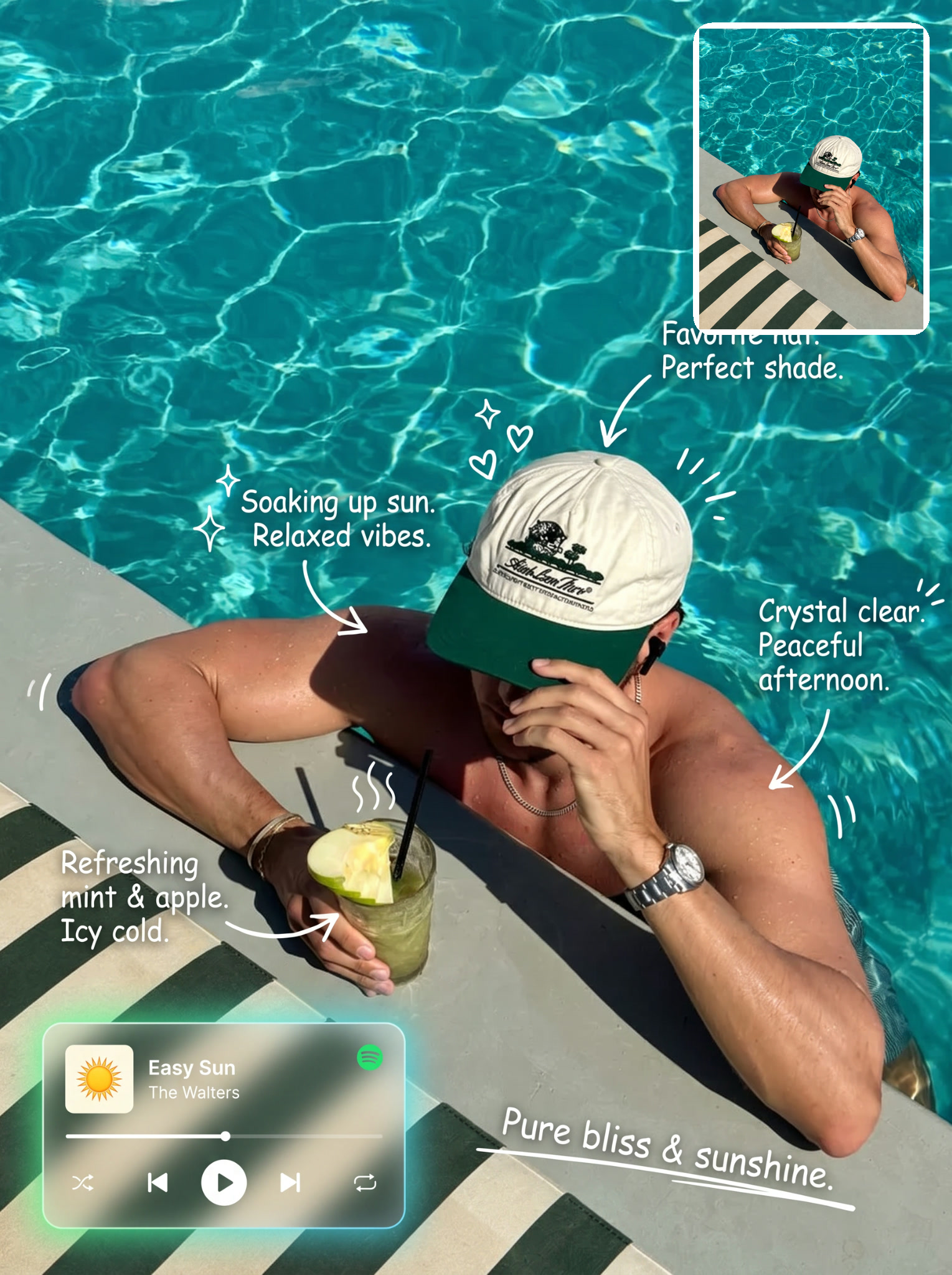
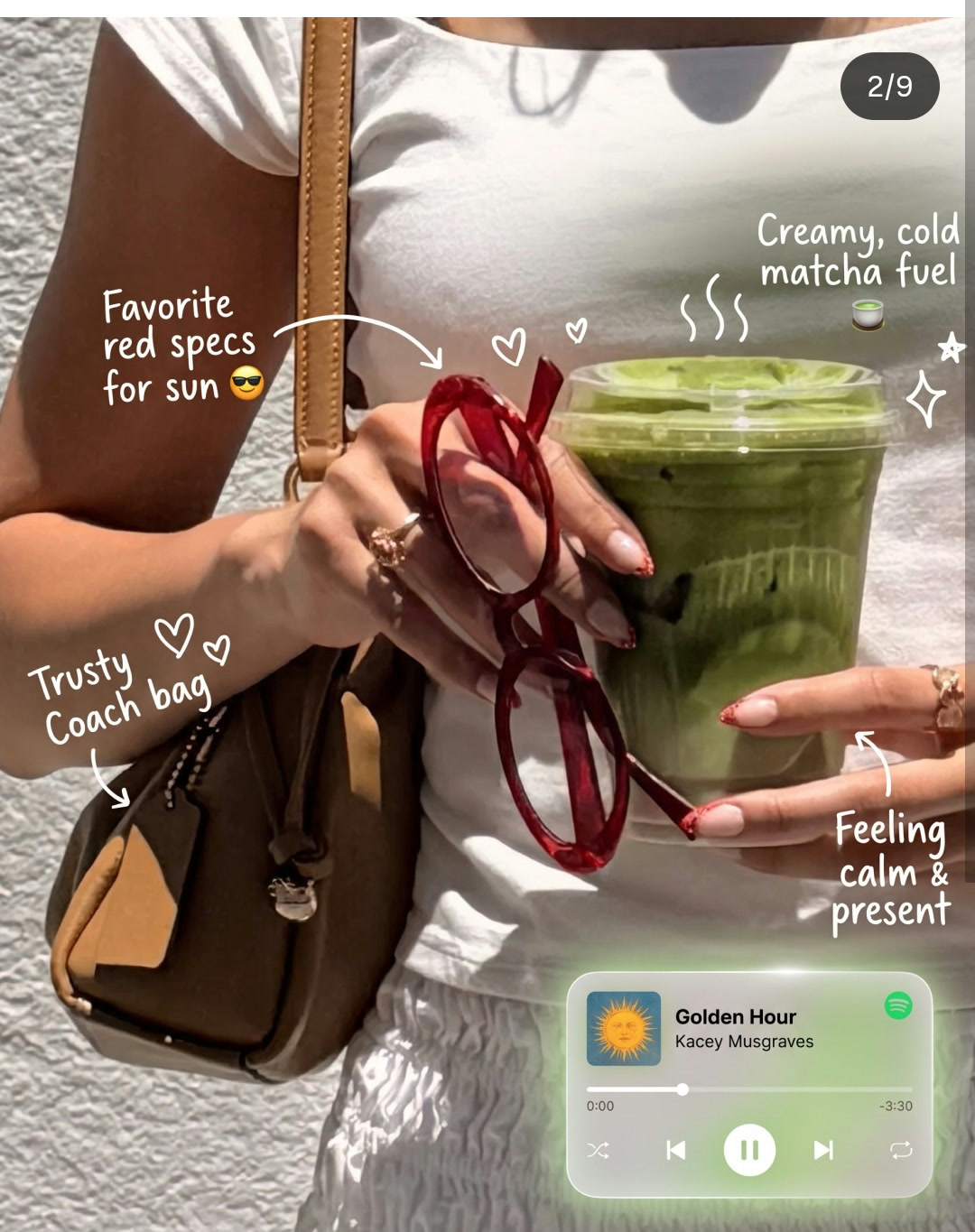
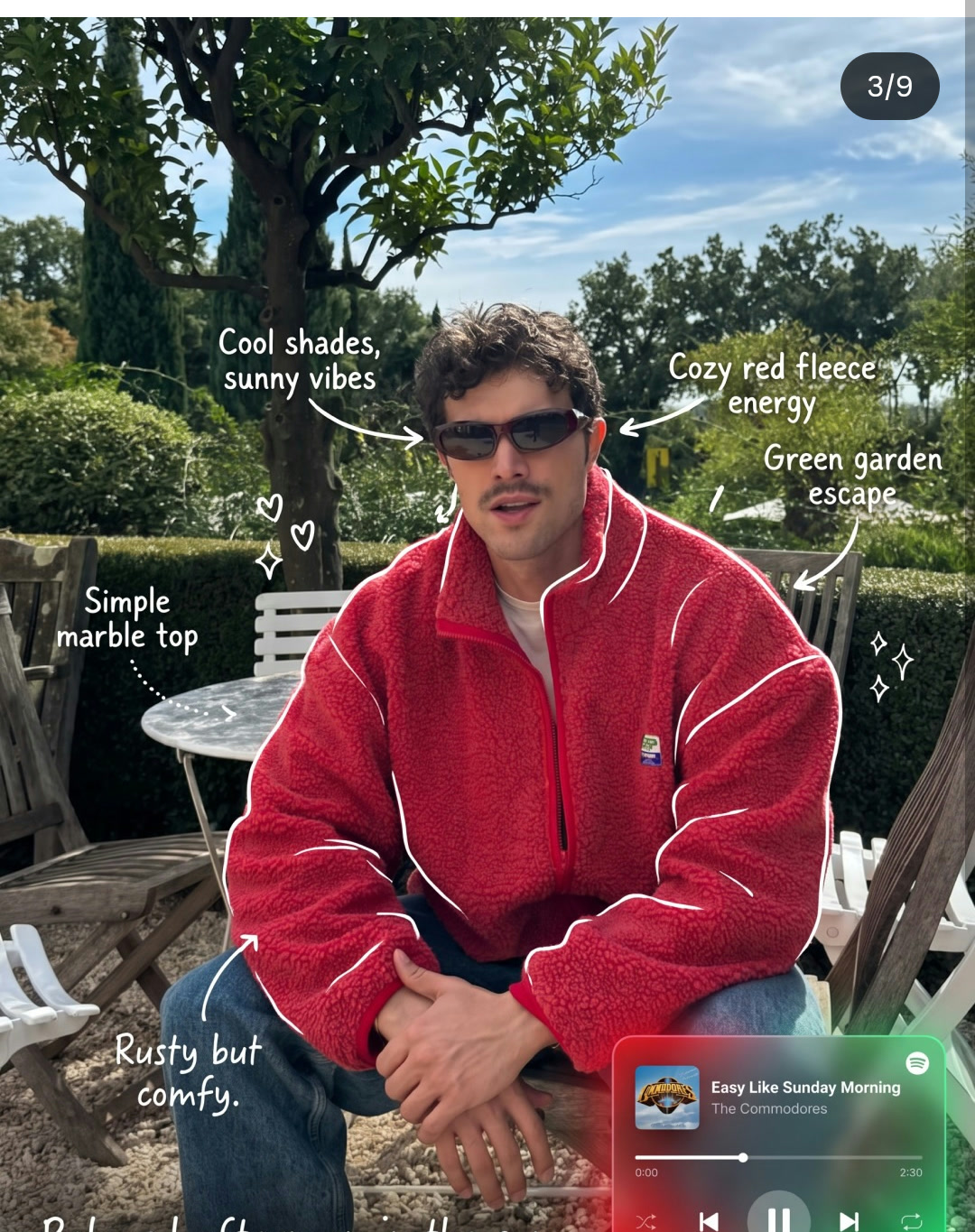
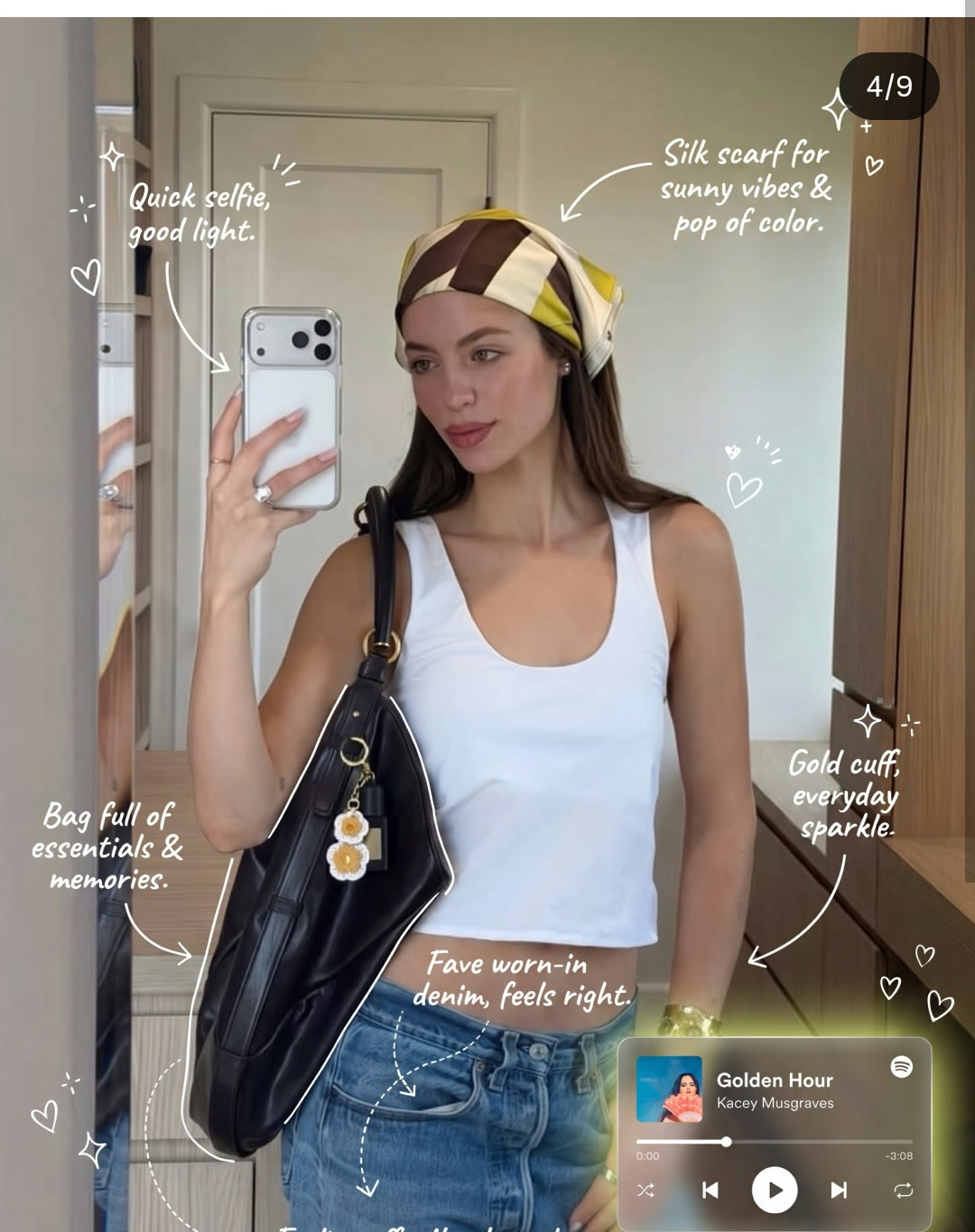
Use the uploaded photo as the fixed source image. Preserve the original subjects, objects, composition, framing, lighting, colors, and overall atmosphere.

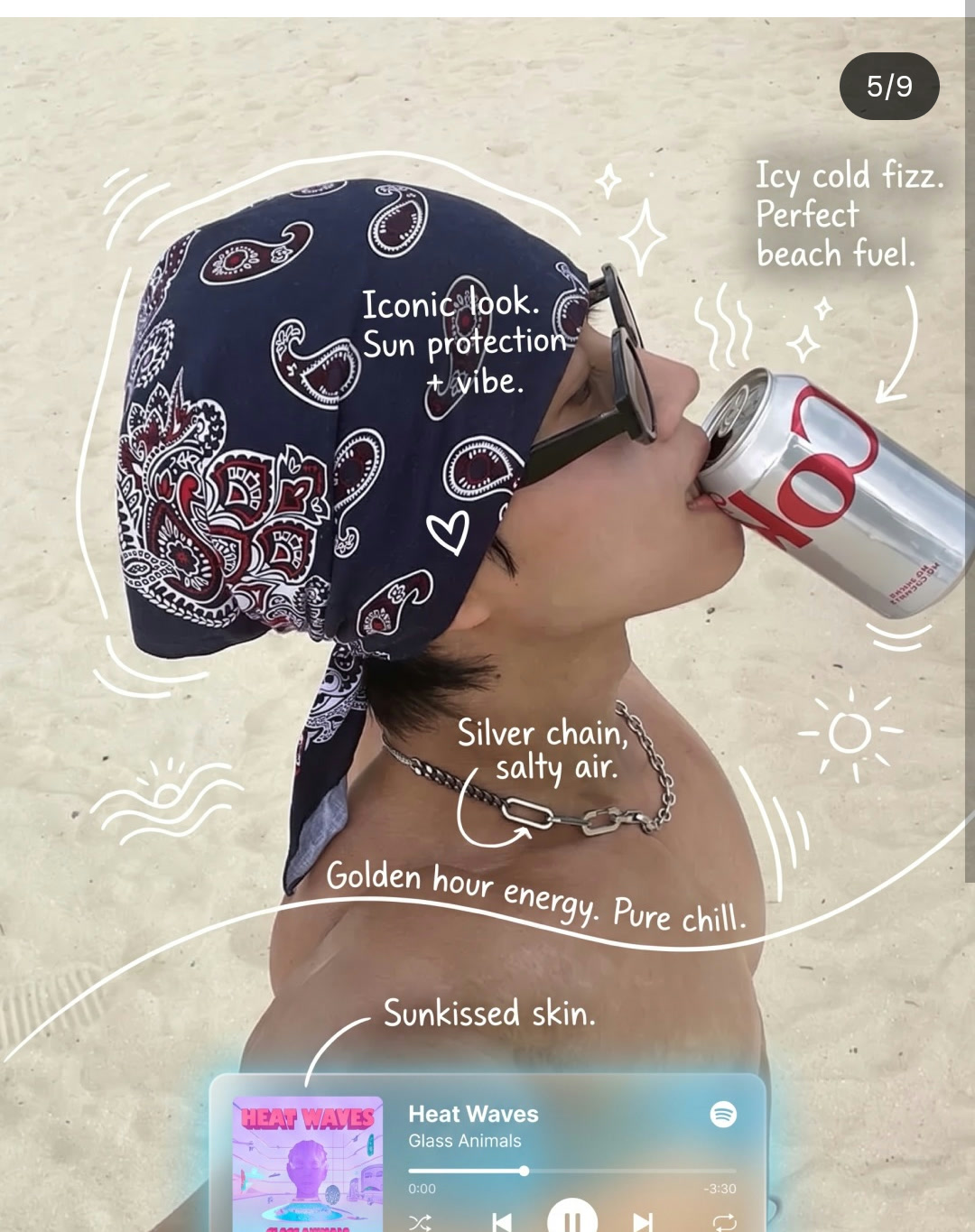
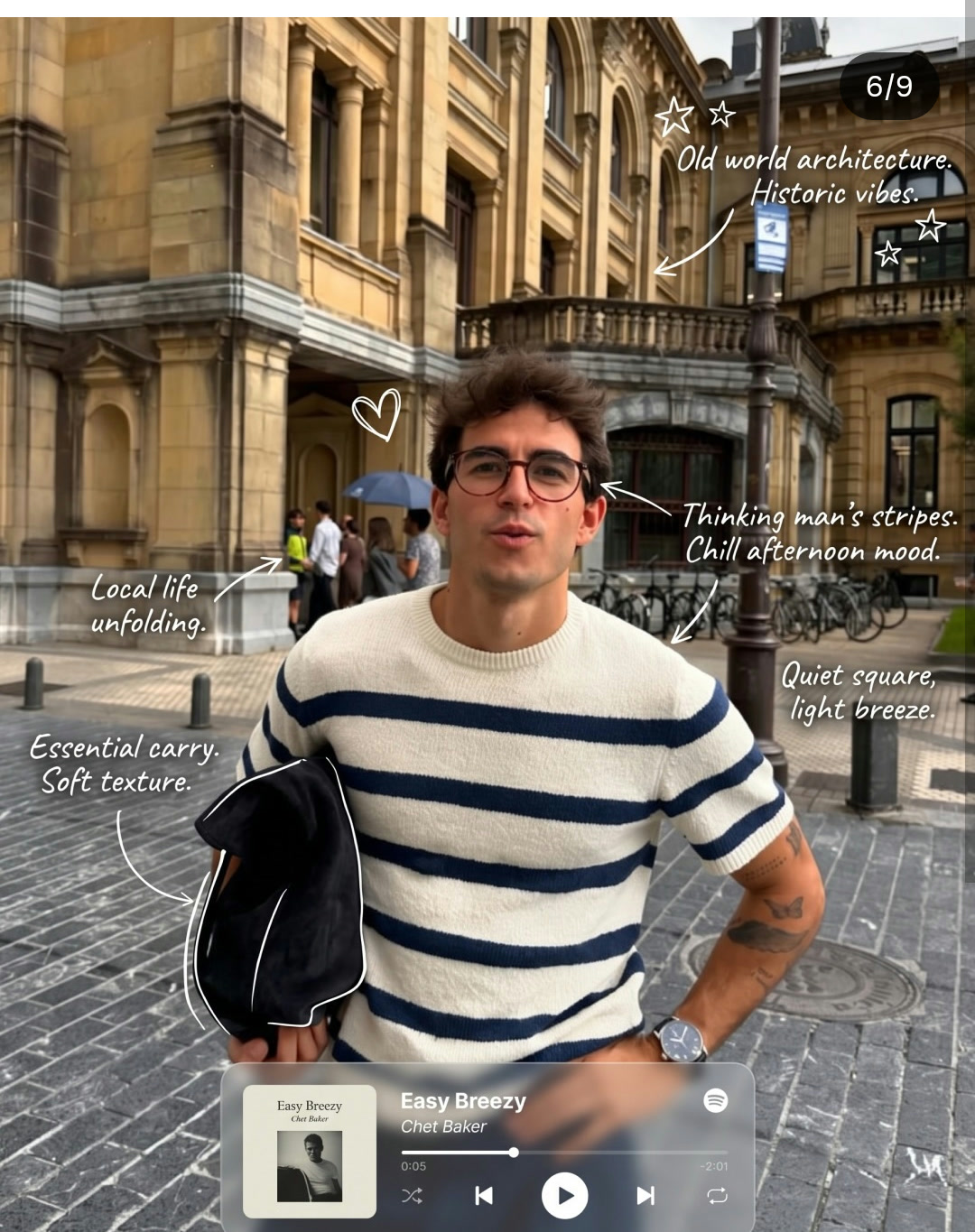
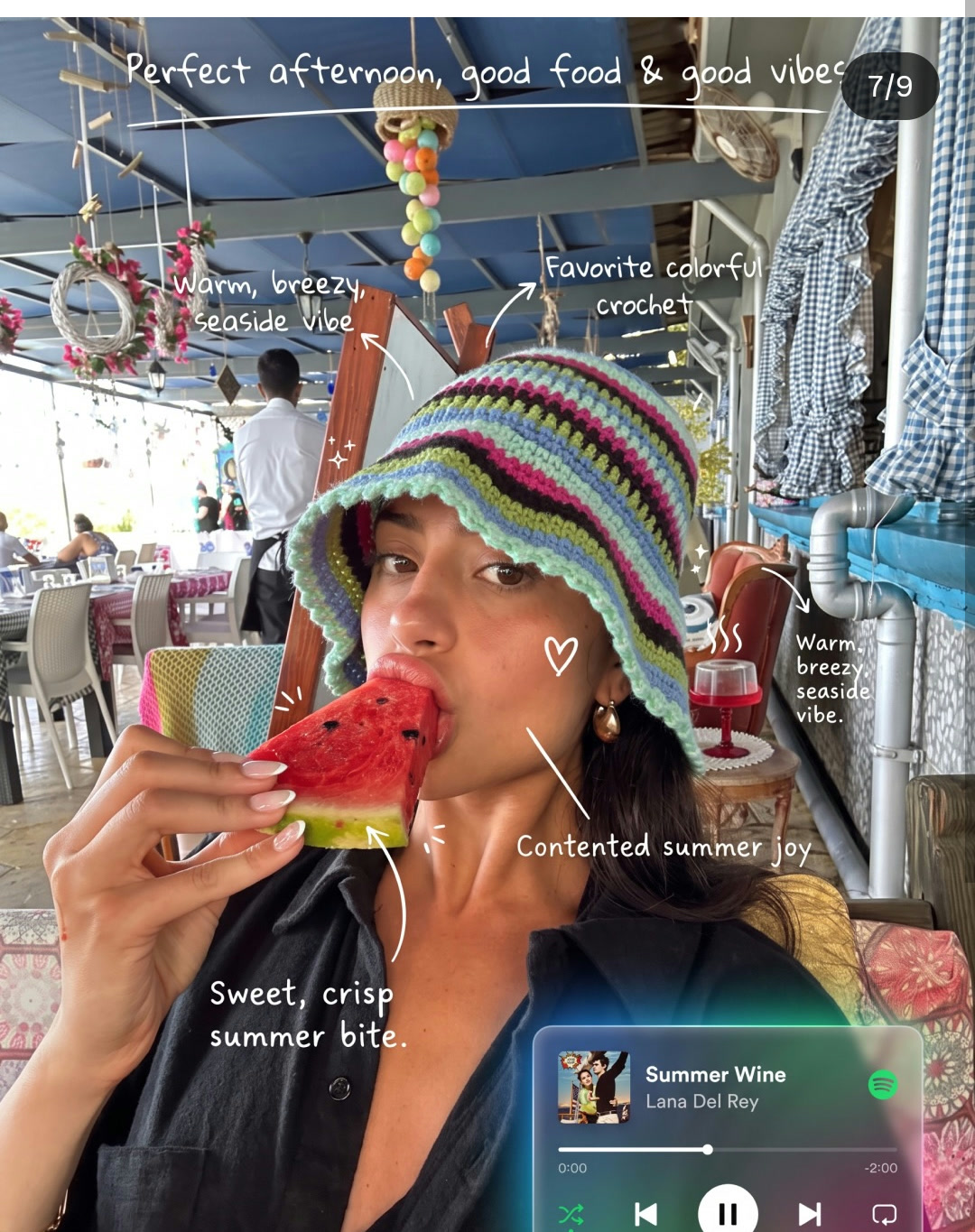
Add meaningful handwritten annotations to the visible elements in the image. The annotations should feel personally tailored to the scene rather than generic.

ANNOTATION STYLE

• Use thin white hand-drawn lines
• Keep the strokes rough, slightly uneven, and naturally imperfect
• Use mostly continuous single-stroke outlines
• Trace selected outer edges of important objects without outlining everything
• Add arrows, curved connectors, and dotted guide lines to direct the viewer’s eye
• Use casual handwritten lettering that remains clear and readable
• Maintain generous negative space and avoid visual clutter

ANNOTATION CONTENT

Adapt each note to the type of subject:

• Drinks: describe the taste, temperature, energy, or mood
• Food: highlight flavor, texture, aroma, or a memorable detail
• People: reference expressions, gestures, energy, or the feeling they bring to the moment
• Spaces: describe the atmosphere, lighting, sound, comfort, or overall vibe
• Objects: mention their purpose, significance, or connection to the scene

Keep each annotation short, specific, and emotionally meaningful.

Add one concise handwritten summary line that captures the overall feeling of the moment.

DECORATIVE DOODLES

Enhance the image sparingly with small hand-drawn elements such as:

• Steam lines
• Sparkles
• Hearts
• Stars
• Motion marks
• Simple emoticon-style faces

Only include decorations that naturally match the scene.

SPOTIFY GLASSMORPHISM UI

Add a refined Spotify-inspired music player overlay based on the mood of the photo.

The interface should feature:

• A translucent glassmorphism panel
• Soft background blur
• Subtle glowing edges
• Colors sampled from and matched to the original image
• A believable song title, artist name, album artwork, progress bar, and playback controls
• A soft ambient glow that blends naturally into the surrounding colors

Choose music that meaningfully matches the atmosphere of the image. Keep the player elegant, compact, and integrated into the composition without covering important subjects.

FINAL RESULT

The finished image should feel like a personal visual journal entry: expressive, intimate, thoughtfully annotated, and visually balanced. Preserve the realism of the original photo while making the handwritten notes and glowing music interface feel naturally layered onto it.
Automatic and visual gates quality.json
{
  "automatic": [
    "Exactly 1 decodable JPG, PNG, or WebP output",
    "At least 640x800 pixels",
    "Aspect ratio within 0.02 of the selected route",
    "At least 50 KB"
  ],
  "visual": [
    "The original subject, objects, framing, lighting, colors, and atmosphere remain recognizable",
    "Short white handwritten notes are specific to visible scene details",
    "Arrows, connectors, outlines, and doodles remain sparse and legible",
    "The glass music player matches the photo's mood without covering the subject",
    "The final image reads as one balanced personal visual-journal composition"
  ],
  "finalization": {
    "automaticPassRequired": true,
    "visualPassRequired": true,
    "reviewNotesRequired": true,
    "explicitApprovalFlag": "--approve-final"
  }
}